Set an alert threshold
An alert threshold warns you when a crack opens or closes beyond what you consider normal. You set it gauge by gauge, and you choose who receives the alert email.
Set the threshold of a gauge
- Open the gauge, then the Alert threshold tab.
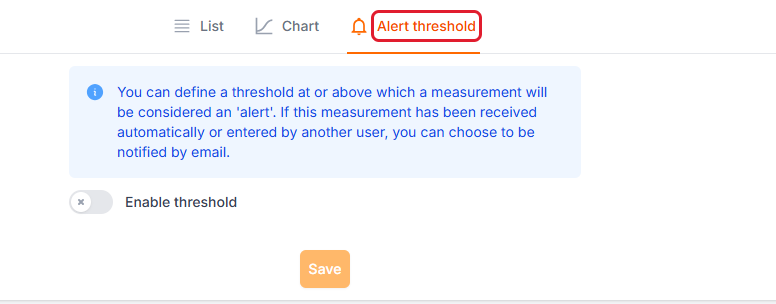
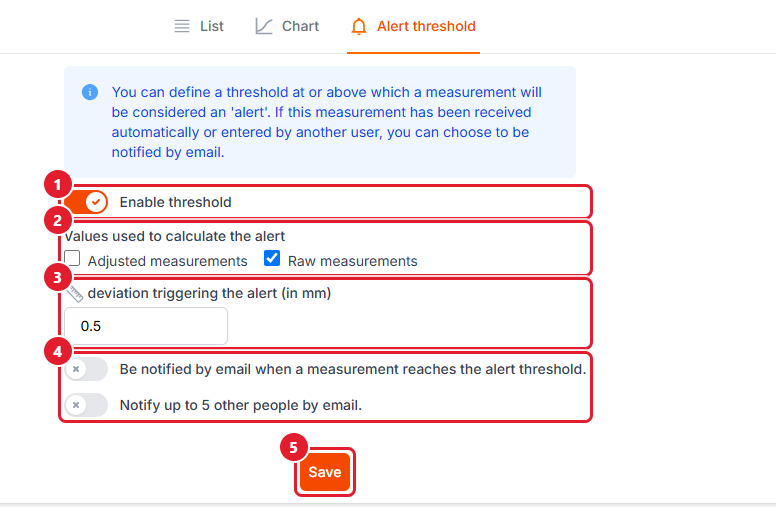
- Turn on Enable threshold (1).
- For gauges with both raw and adjusted measurements, choose the Values used to calculate the alert (2): Raw measurements or Adjusted measurements (corrected for temperature).
- Enter the deviation triggering the alert (3), in the unit of the gauge (mm, degrees…). For a two-axis gauge (tiltmeter, 2-axis gauge…), a deviation is set for each axis.
- Choose who is notified (4):
- Be notified by email when a measurement reaches the alert threshold: you receive the alert email, and a notification on your phone if you use the mobile app;
- Notify up to 5 other people by email: add the addresses of your client, a colleague, the insurer… They do not need an account.
- Click Save (5). → The message "Configuration updated" appears.
How the alert is triggered
- The deviation is measured from the first measurement of the gauge, in both directions: with a threshold of 0.5 mm, the alert is triggered at +0.5 mm as well as at −0.5 mm.
- The email is sent only once, when the threshold is reached. As long as the deviation stays at or beyond the threshold, no new email is sent.
- When a measurement falls back below the threshold, the alert ends by itself. If the threshold is reached again later, a new email is sent.
Follow the alerts
A gauge in alert can be spotted everywhere in the app:
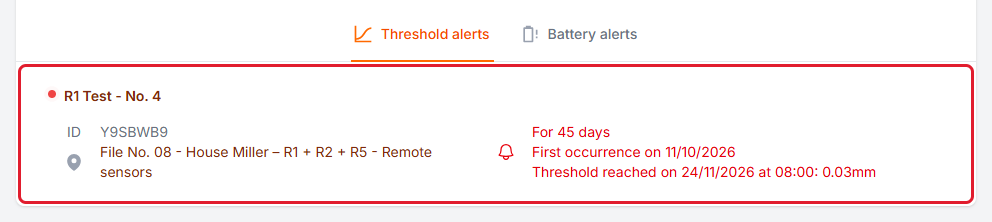
- in My alerts (left-hand menu), with the number of current alerts. The Threshold alerts tab shows how long each gauge has been in alert;
- in the list of gauges of the place, with a red background and the ⚠ symbol;

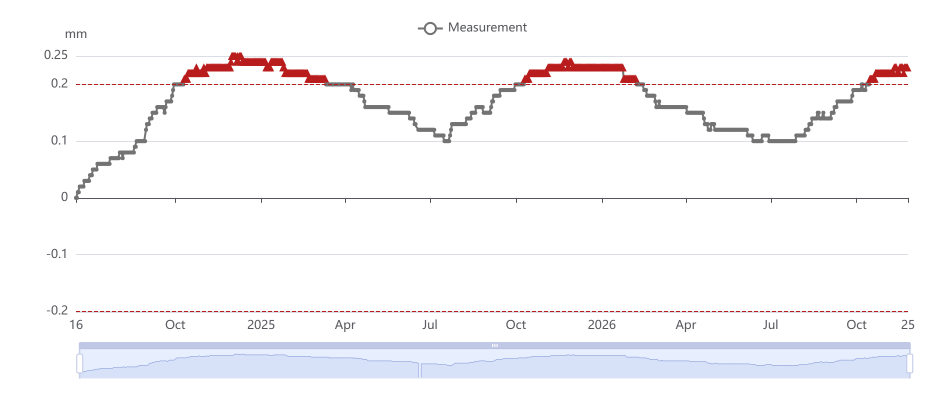
- on the Chart of the gauge: the thresholds are drawn as dotted lines and the measurements in alert appear in red;
- on the plans of the place, in red. See Place gauges on a plan.
Opening the gauge marks its alert as read.