Share the data of a gauge
You can share the monitoring of a gauge with a simple link. For manually read gauges, you also choose who sees your measurements.
Share the monitoring of a gauge
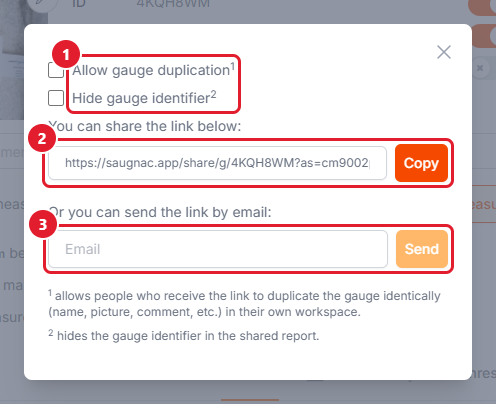
- Open the gauge, then click Share, at the top right (on a narrow screen, in the ⋮ menu).
- If needed, choose an option (1):
- Allow gauge duplication: the recipient can add the gauge to their own workspace, with its name, photo and settings, by clicking Add to my workspace;
- Hide gauge identifier: the ID of the gauge is not shown on the shared page.
- Send the link: Copy (2), or type an email address and click Send (3).
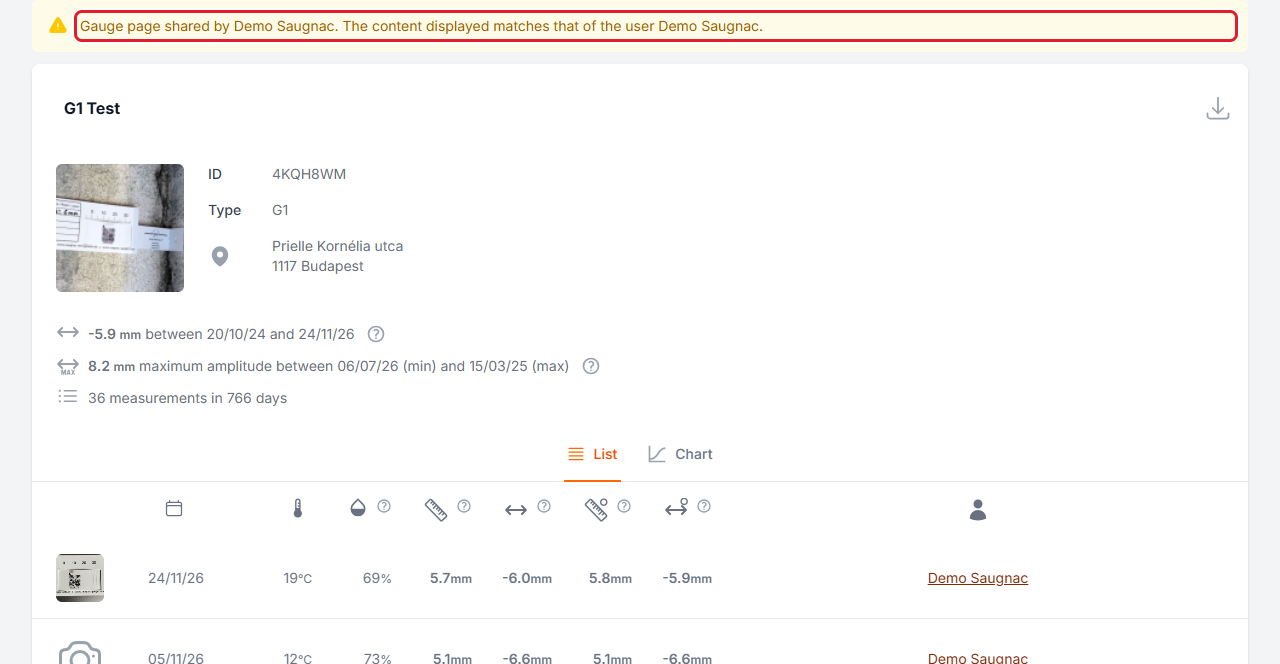
→ The recipient opens the link with no account or password. They see the gauge in read-only mode: its information, the List of measurements and the Chart, and they can export the measurements.
Manually read gauges: who sees your measurements
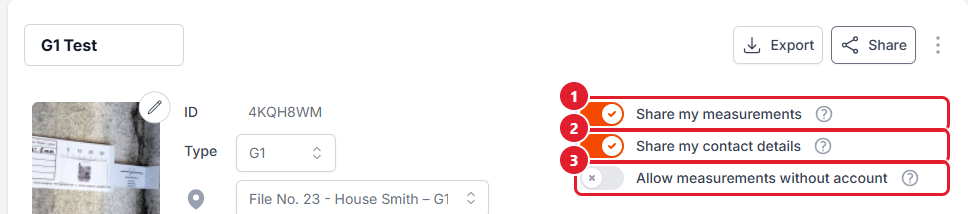
Several people can follow the same manually read gauge, each in their own workspace (for example an expert and the owner of the house). On the gauge page, three options control what you share with them:
- Share my measurements: your measurements are visible to anyone who has the ID of the gauge. On by default.
- Share my contact details: your name is shown next to your measurements, so that others know who took them. When off, your measurements appear as Anonymous.
- Allow measurements without account (G1, G1.1 and G1.2 gauges): someone without an account can read the gauge with their smartphone and send you the measurement, which you then approve. Off by default.