
Share a place
Share a place with a client, an expert, an insurer or a colleague: they follow the gauges of the place, always up to date, without needing an account. You can also let them duplicate the place into their own workspace.
Send the link
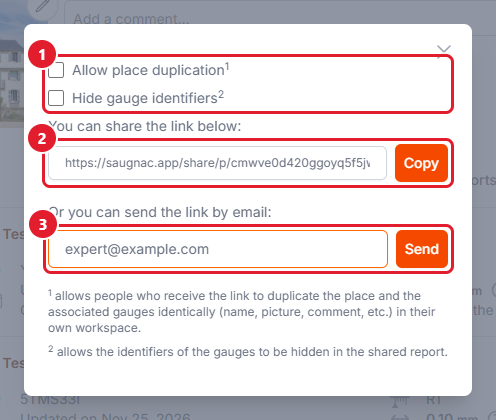
- Open the place, then click Share, at the top right (on a narrow screen, in the ⋮ menu).

- If needed, choose an option (1): see below.
- Send the link:
- click Copy (2) and paste the link wherever you like: email, report, messaging app… ;
- or type the recipient's email address and click Send (3): they receive an email with a button to open the place.
What the recipient sees
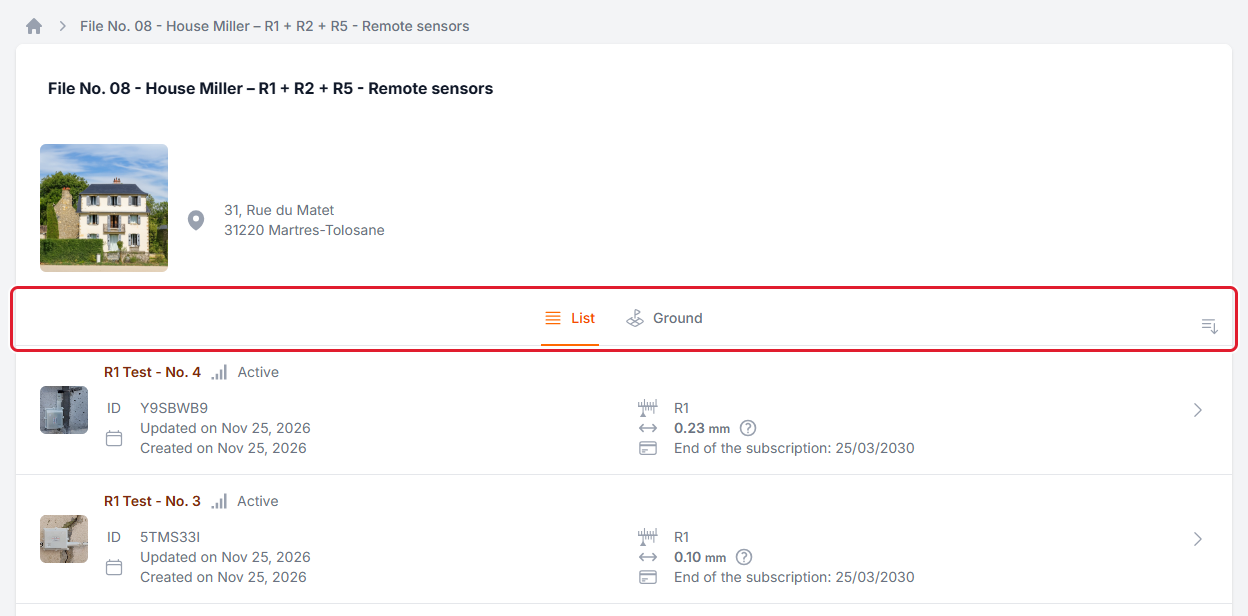
The recipient clicks the link, with no account or password. They see the place in read-only mode:
- the name, photo, comment and address;
- the List of gauges, with their latest measurements and alerts;
- the Plans of the place, if there are any (see Place gauges on a plan);
- the chart Reports, if there are any;
- the Ground, if it has been analysed (see View the ground of a place).
Clicking a gauge opens its details: measurements, chart and export.
Allow duplication
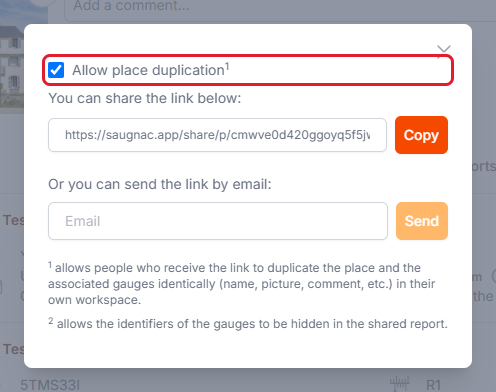
With the Allow place duplication option, the recipient can copy the place and all its gauges into their own Saugnac workspace, exactly as they are: name, photo, comment, gauges…
It is the simplest way to transfer the data to another account: handing over to a colleague, to a client who continues the monitoring themselves, or reorganising between your accounts.
- In the share window, tick Allow place duplication. → The link changes: send this new link.
- The recipient opens the link and clicks Duplicate this place in my workspace, at the bottom of the page. If they are not logged in, the app first asks them to log in or create an account. → The place and its gauges appear in their workspace.

Hide gauge identifiers
With the Hide gauge identifiers option, the identifiers (IDs) of the gauges are not shown on the shared page.